
Your receipts
Where to find your receipts, how to keep them, and how someone else can check one is genuine.
Overview
Every payment you make produces a receipt, and they all stay here under Receipts. You do not need to keep the emails.
Payments you made by cash or cheque are there too, so the list is your full payment history however you paid.
A receipt is a record of one payment, so it shows your details as they were on the day you paid. It is not updated later if you change your address. That is why it is worth fixing your profile before you renew, not after.
Each receipt has a QR code. Anyone can scan it — your accountant, a finance office — and our portal confirms the receipt is genuine. They do not need to sign in. That is what makes a downloaded PDF worth something to someone outside.
Reference
| What is on it | Your name and Member ID, the amount, what it was for, the period it covers, and our registration details. |
|---|---|
| Checking one is genuine | Scan the QR code, or use the address printed on it. No sign-in needed. |
| Why old ones do not update | A receipt records one payment on one day. Changes to your profile show on future receipts only. |
| Using it for tax | What you can claim depends on our registrations, which are printed on the receipt. Ask us if you need it for a return. |
Step-by-step
-
Open ReceiptsIt is under My Membership in the sidebar. Newest first, so a renewal you have just paid is at the top.
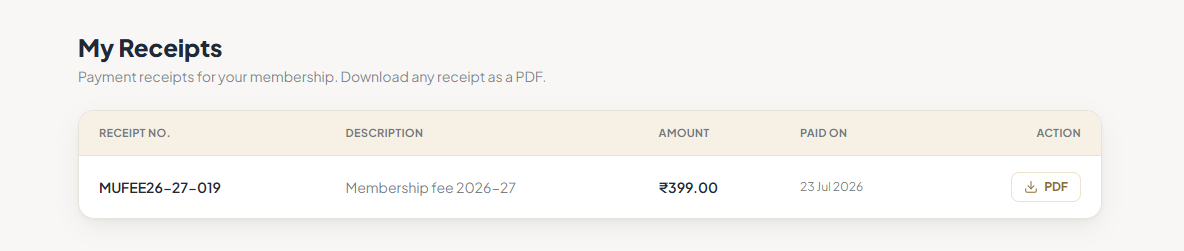
Your receipts. -
Download the PDFKeep the PDF rather than a screenshot. A screenshot blurs the QR code, and a blurred code will not scan.
-
Send the link if someone needs to check itScan the QR code on the PDF, or use the address printed on it. The page works without signing in, so your accountant can check it directly.
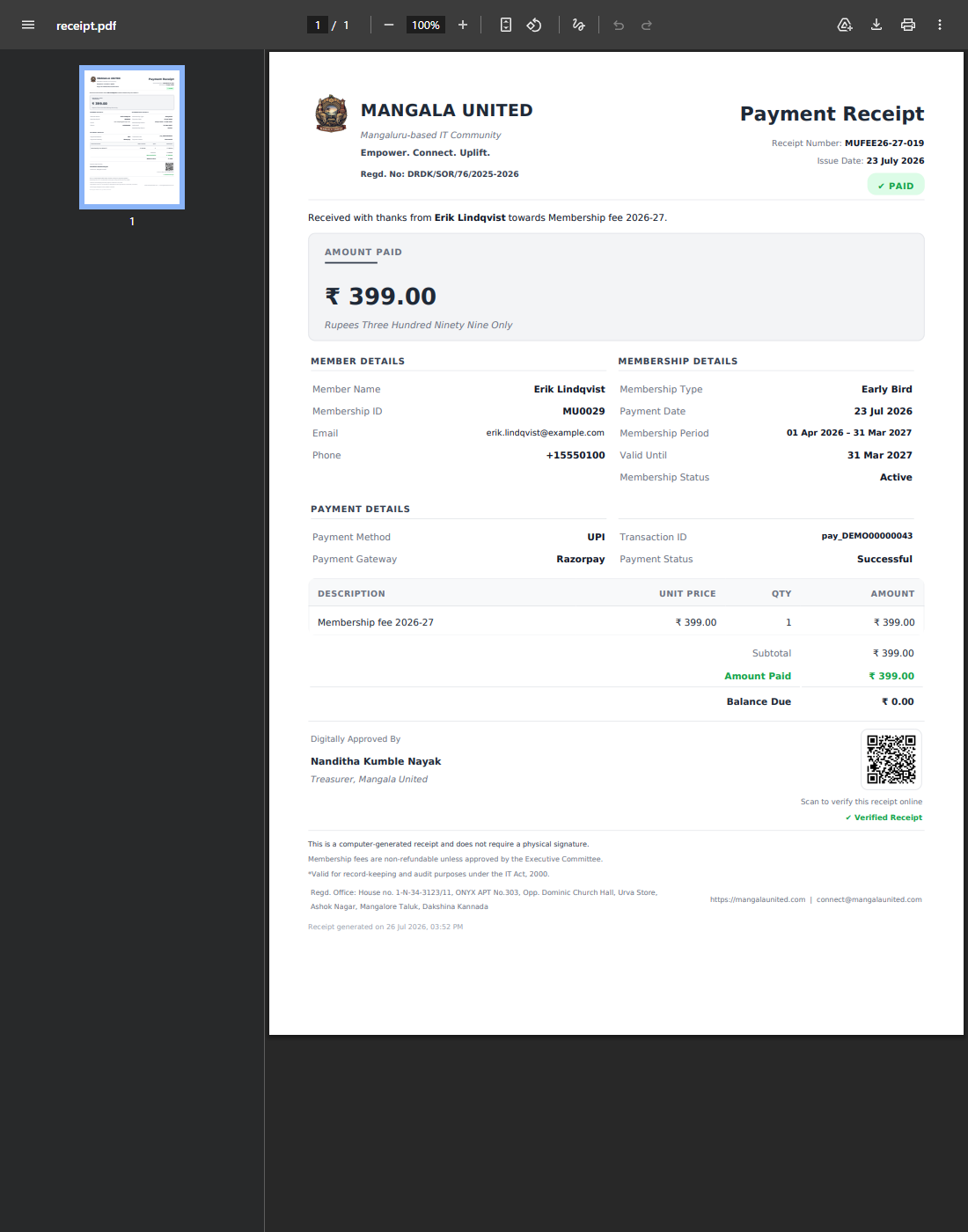
A receipt, with its QR code.
Tips
Notes
Troubleshooting
Nothing happens when you click download.
Why it happens: Your browser is blocking the download or the pop-up.
What to do: Allow pop-ups for this site, or right-click the link and save it.
The name or address on a receipt is out of date.
Why it happens: It shows your details as they were on the day you paid.
What to do: Fix your profile so future receipts are right. Ask us if an old one genuinely has to be reissued.