
Paying your fee
How paying works, how to tell it worked, and what to do if it fails.
Overview
You pay on a payment company’s own page, not here. We never see your card number or your banking login.
Your browser is not what confirms the payment. The payment company tells us directly. So if your connection drops halfway through, the payment can still go through — and a page that says success is not proof until your record here changes.
That is why the one rule for a failed payment is: check your bank first. If no money left your account, try again. If money did leave, stop — do not pay a second time. Send us the reference instead.
Paying twice is the one mistake worth avoiding. Getting a duplicate refunded takes as long as your bank takes, which is much slower than sorting out the first payment.
Reference
| How you can pay | Whatever we have set up — usually UPI, cards, net banking and wallets. The payment page shows what is available. |
|---|---|
| When your membership starts | When the payment company confirms the payment. Usually within seconds, and it does not depend on your browser staying open. |
| Payment links expire | If we send a new one, the old one stops working. Always use the newest email. |
| Money held but not taken | Some failed attempts reserve money without taking it. Your bank releases it on its own schedule, often within a week. That attempt did not pay anything. |
| Paying by cash or cheque | We record it against your membership and you still get a receipt here. |
Step-by-step
-
Open the newest payment linkFrom your email, or from the panel on your dashboard. If we have sent several, only the newest one works.
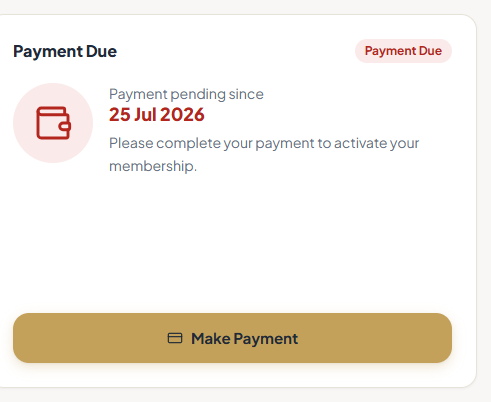
The payment panel on your dashboard. -
Check the amount and what it coversThe page shows the fee, what it is for and which period. Check all three before you pay. Querying a wrong amount now is far easier than getting a refund later.
-
Pay on the payment company’s pagePick how you want to pay and follow it through, including any check your bank asks for. Wait until it brings you back here.Closing the window part-way through is the most common reason a payment is taken but not recorded against your membership.
-
Check your record here, not the success screenYour status should become Active and a receipt should appear under Receipts. That is the confirmation that counts.ScreenshotThe payment company’s own success screen. Worth keeping the Payment ID from, but check Receipts here before treating the payment as done.
-
If it failed, check your bank before anything elseNo money taken: try again, ideally a different way. Money taken: stop, note the reference, and send it to us. Do not start a second payment.Screenshot the error and your bank entry. It makes tracing the payment much quicker.
Tips
Notes
Troubleshooting
Money left your account but it still says Payment Due.
Why it happens: The confirmation has not reached us yet, or the money was held rather than taken.
What to do: Reload after a few minutes. If nothing has changed within a day, send us the reference. Do not pay again.
Your UPI app says success but the page did not update.
Why it happens: The browser lost the payment page while you were in your UPI app.
What to do: Reload your dashboard and check Receipts. Send us the UPI reference rather than trying again.
You paid twice.
Why it happens: A payment that looked like it failed had actually gone through.
What to do: Send us both references. We refund the duplicate. Your membership is not affected.
The payment link says it is no longer valid.
Why it happens: Links expire, and a newer one replaces the old.
What to do: Use the newest email. If that is the one failing, ask us for a new link.